|
THIS IS AN ARCHIVE WEB PAGE - CENTRAL HOBBIES is CLOSED
We are No longer Accepting orders.
A new store will be opening August/September 2023.
We're your one stop scale model
train shop!
NMRA DCC (Digital Command
Control)
NMRA Digital Command Control (DCC) is the best way to operate your trains.
DCC easily allows you to run multiple trains on a single mainline without blocks!
Developed by the National Model Railroad Association (NMRA) from an original Lenz design,
NMRA DCC compatible products are now produced by many companies. DCC is suitable for all
sizes of layouts.
Central Hobbies carries
DCC products from









 Roco Digital, and Power Supplies
.
Roco Digital, and Power Supplies
.
If you are considering converting your current layout to DCC or if you are considering
building a new layout using DCC, Central Hobbies has a DCC consultation service. We will
assist in you configuring a DCC system for your layout. The fee is $25.00 per hour or part
thereof. Consultation fees may be credited towards the purchase of a DCC system from Central
Hobbies.
Central Hobbies' trained staff provide service and support for all DCC products
purchased from us. We will help you select the right decoder for your locomotive models. We
will arrange for the repair and or replacement of defective or damaged products. If necessary we
will arrange for loaner products from our stock. These services are provided free of
charge to all Central Hobbies Digitrax customers.
If the supplier you purchased your DCC products from will not or is
incapable of providing Service and Support for you, Central Hobbies may provide Service
and Support for a fee. The handling fee will be from $5.00 to $25.00 per item depending on what
it is. Loaner items can be supplied for a weekly rental fee. Depending on the circumstances,
Central Hobbies may waive the fees.


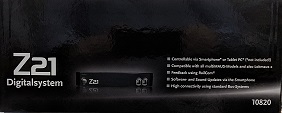
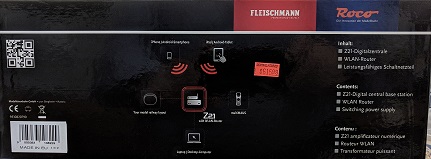
Fleishmann - Roco make the Z21 and z21, DCC systems.
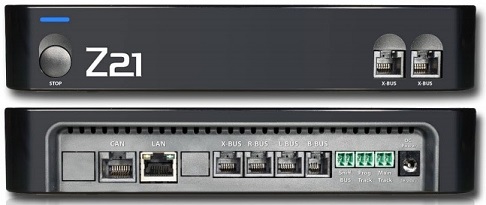
The Z21 version for experts (black box) makes the switch to Z21 simple:
It is completely compatible to previous systems with all multiMAUS models and to the Lokmaus 2 and features three standard multiMAUS ports.
The Z21 supports a multitude of standard interfaces and connection options - ideal if you want to continually enlarge your layout or want to add new functions to it.
The Z21 (black system) can accept throttles and other devices from Lenz, Digitrax and others. The 'Sniffer Bus' allows any system to be connected to the Z21.
The set contains: WLAN(WIFI) router, efficient power supply.
The system comes is ready to use with the RocoZ21 ap (downloadable for Android and Apple) with your smart phone or tablet.
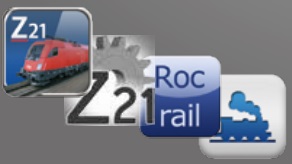 Z21 Aps for your Phone, Tablet or Computer. Z21 Aps for your Phone, Tablet or Computer.
| Set 10822 |
 |
 |
 |
Price $ 604.99 Cdn$ |
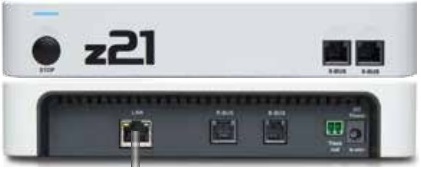
The z21 version for beginners (white box, little z at z21) has the same features as the
Z21 for experts (black box) only with connection and configuration limitations.
We carry some of the SPROG DCC Products.
| Product |
Description |
Price and
Stock Status |
Picture |
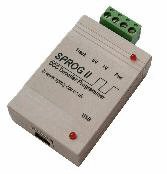
| Sprog IIv4 |
SPROG II USB - Complete Package
includes SPROG IIv4 unit, USB cable, 12V 1.25A regulated power supply, all software and
instructions on a USB Flash memory stick.
DCC Programmer and Controller. Provides a one-stop source for setting up and running any
DCC locomotives. |
$ 159.25 Cdn$ |
 |
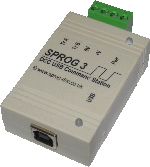
| Sprog III |
SPROG3 USB - Complete Package
Includes SPROG3 unit, USB cable, 14V 3.0A regulated power supply, all software and
instructions on a USB Flash memory stick.
DCC Programmer and Controller. Provides a one-stop source for setting up and running any
DCC locomotives. 2.5 Amps of power. |
$ 195.99 Cdn$ |
 |
| Sprog III HP |
SPROG3 Higher voltage - Complete Package New
includes SPROG3 unit, USB cable, 18.5V 3.5A regulated power supply for G Scale users, all
software and instructions on a USB Flash memory stick.
DCC Programmer and Controller. Provides a one-stop source for setting up and running any
DCC locomotives. 3.5 Amps of power. |
No Stock
Orderable |
|
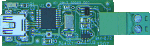
| SPROG NANO |
SPROG Nano is a low cost USB interface that allows a DCC power booster to be connected
to a PC or MAC computer running Windows, MacOS or Linux.
The ideal companion to the SBOOST, SPROG Nano interfaces your computer in the most
compact package. |
No stock
Orderable
|
 |
| PI SPROGs |
The PI-SPROG is designed to work with the Raspberry Pie computer.
They come configured three ways:
- Command Station preset to support WiThrottle or EngineDriver users via wifi
- Program Mode preset to use a VNC connection, and also supports one WiThrottle
or EngineDriver user for Program verfication via wifi
- Program Mode preset to use a local connection of display and keyboard, and also
supports one WiThrottle or EngineDriver user for Program verfication via wifi
|
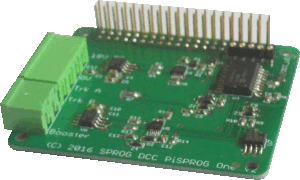
| PI Sprog-Three Plus |
Pi-SPROG One Complete Package New!
includes Pi-SPROG One unit, 15V 5.0A regulated power supply, all software and instructions on
a USB Flash memory stick.
Pi Wifi plus 3d printed case.
Does not include a Raspberry Pi. Set up for a Raspberry P1 4B.
The Pi-SPROG One is a DCC interface with an integrated booster that will drive a wide
range of layouts, depending on the total current requirements of the loco fleet and accessories. A
low level DCC output also allows the easy connection of further boosters such as our own
SBOOST II. In this respect it is similar in operation to the SPROG II and SPROG 3. |
$ 275.99 Cdn$ |
 |
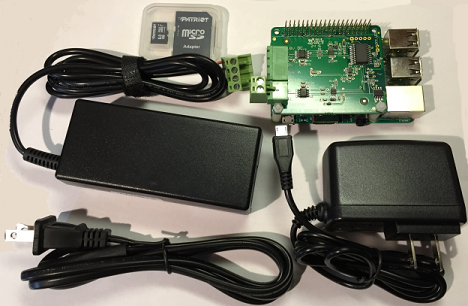
| PI Sprog-One Full System |
Pi-SPROG One Full System New!
includes Pi-SPROG One unit, 14V 3.0A regulated power supply for your trains.
Also includes a Raspberry Pi 3, 5V power supply and software image on SD card ready to turn
on and run!
The Pi-SPROG One is a DCC interface with an integrated 2.5Amp booster that will drive a wide
range of layouts, depending on the total current requirements of the loco fleet and accessories. A
low level DCC output also allows the easy connection of further boosters such as our own
SBOOST II. In this respect it is similar in operation to the SPROG II and SPROG 3.
You need to specify if it will be configured as: Command Station, Program Mode via VNC or
Program Mode by local connection.
See above for descriptions. |
Out of Stock Cnd$ |
 |
| SBOOST |
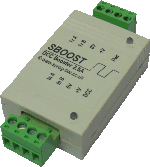
Sboost 2.5 Amp Booster.
Compact package, 2.5A and auto-reverse, power supply
included! |
$ 123.45 Cdn$ |
 |
| Speedometer |
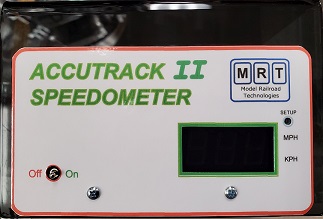
ACCUTRACK Speedometer. Currently Unavailable due to parts Shortages.
Programmable for N or HO, this unit stands over any track, and displays the speed of a train as it
passes, in either direction. It is a stand-alone device, and runs off two AAA batteries, included in
the package, so is ideal for DC or DCC layouts. |
No Stock |
|
| Speedometer |
We can get the TCS TrainSpeed 1 Speedometer |
Est $ 154.99 Cdn$ |
|
We carry some of the DCC Specialties Products.
| Product |
Description |
Price and
Stock Status |
Picture |
| PSX-1 |
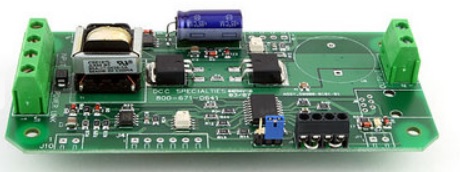
PSX-1 Single Output Intelligent Circuit Breaker. |
$ 58.99 Cdn$ |
 |
| PSX-2 |
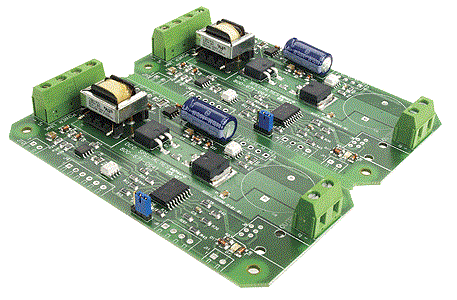
PSX-2 Dual Output Intelligent Circuit Breaker. |
$ 111.49 Cdn$ |
 |
| PSX-3 |
PSX-3 Triple Output Intelligent Circuit Breaker. |
$ 182.50 Cdn$ |
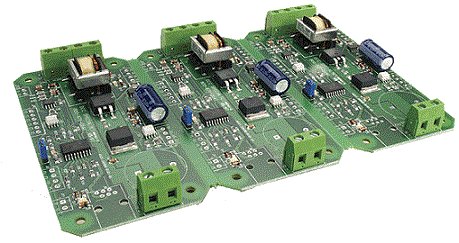 |
| PSX-4 |
PSX-4 Quad Output Intelligent Circuit Breaker. |
$ 242.50 Cdn$ |
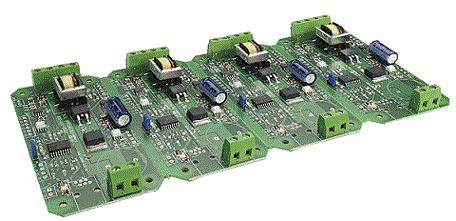 |
| OG-CB |
OG-CB OnGuard DCC Circuit Breaker |
$ 29.99 Cdn$ |
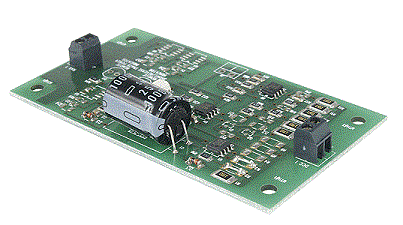 |
| The Hare |
The Hare V1 Tortoise Stationary Decoder |
$ 50.99 Cdn$ |
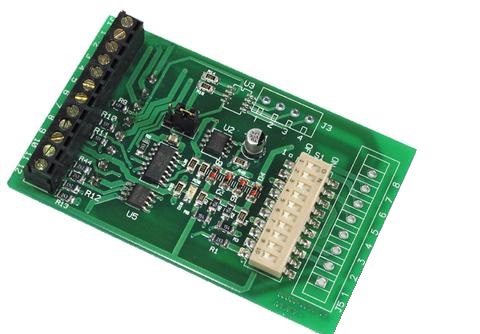 |
| The Wabbit FB |
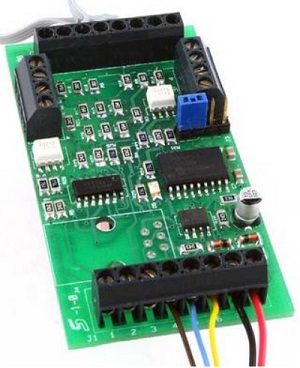
The Wabbit FB Dual Output Tortoise Stationary Decoder with feedback |
$ 55.99 Cdn$ |
 |
| The Jack Wabbit Quad |
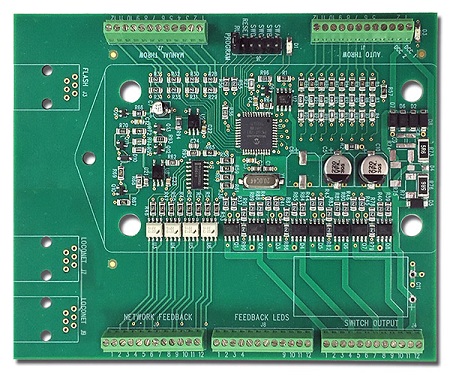
The Jack Wabbit Quad Quad Output Tortoise Stationary Decoder |
$ 106.99 Cdn$ |
 |
| The Jack Wabbit Quad w Loconet |
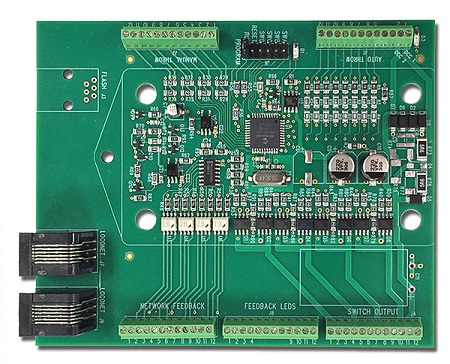
The Jack Wabbit Quad with Loconet Quad Output Tortoise Stationary Decoder with Loconet Connection |
$ Available to order Cdn$ |
 |
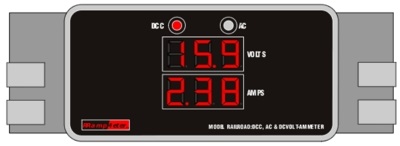
| RRamp Meter V1 |
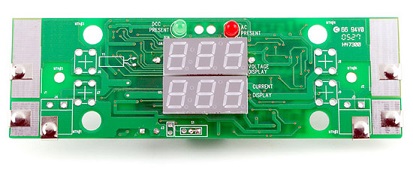
Ramp Meter V1 RRamp Meter without enclosure |
$ 90.99 Cdn$ |
 |
| RRamp Meter V2 |
Ramp Meter V2 RRamp Meter with enclosure and leads |
$ Available to order Cdn$ |
 |
| RRamp Meter V3 |
Ramp Meter V3 RRamp Meter with enclosure, leads and battery backup |
$ Available to order Cdn$ |
|
| RRamp Meter V3 High Voltage |
Ramp Meter V3 High Voltage RRamp Meter with enclosure, leads, battery backup, High Volatge |
$ Available to order Cdn$ |
|
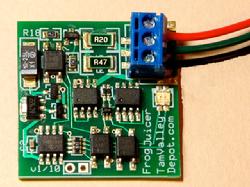
We carry the Tam Valley Depot 'Frog Juicers'. They are an excellent product!
 . .
|
| MFJ003U |
DCC Mono Frog Juicer (polarity reverser for frogs) |
 |
$ On order Cdn$ (4) |
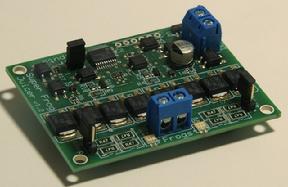
| DFJ003U |
DCC Dual Frog Juicer and Auto-Reverser |
 |
$ On Order Cdn$ (2) |
|
Can be used to control two frogs or configured to act like as an Auto-Reverser |
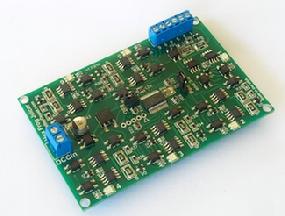
| HFJ003U |
DCC Hex Frog Juicer |
 |
$ On order Cdn$ (1) |
|
Can be used to control six frogs or configured to act like one to three Auto-Reversers |
| LED001 |
3 Output Accessory Decoder for LEDs |
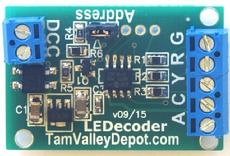 |
$ 20.75 Cdn$ (6) |
These are US made products so the price of new stock fluctuates with the exchange rate.
As we are dealing direct with Tam Valley supply is good. Images from Tam Valley Depot. |
MRC manufactures several DCC systems.
Central Hobbies does not stock any of them. If you want one we will order one in for you..
We do not stock MRC decoders. If you want one we will order one in for you.
MRC Systems and decoders are non refundable.
You will have to deal directly with MRC for any warranty issues.
Power Supplies
Most DCC systems need a power supply. As well as the new PS514 Universal Power Supply, we
the NCE 5 Amp power supply. All may be used with all major manufacturers DCC systems (
Digitrax, Lenz, North Coast).
Roco Digital
Although the Roco Digital Crane and accessories (Light, Electro Magnet and
Working Clam Shell Bucket) are no longer readily available, I am keeping this information here
for those of you lucky enough to find one. We will stock these items again if they ever come back
to market. They are such a wonderful toy!
The best Digitrax throttle to use is the UT4 followed by the DT402. Both give good
feedback on which function is selected. Any other throttle will work as well.
Roco Digital Crane Operation
The Roco Digital Crane can be operated by any NMRA DCC compatible system.
When selecting the locomotive with your system, remember that the crane decoder operates
in 14 speed step mode. When using the crane with a Digitrax system you must status edit the
crane when you first select it. The proper status is 02 or 12. You can program the crane decoder
to run in 28 speed step mode.
The Roco Digital Crane has four functions that can be controlled. You can:
Turn the Accessory on or off, ( If the accessory is on you can operate any of the other
functions and it will stay on).
-
Rotate the Crane cab clockwise or counter-clockwise on the chassis,
-
Raise or lower the Boom
-
Raise or lower the Hook
Operating the Crane:
To control the functions of the Roco Digital Crane, you use a combination of the throttle
speed control, the throttle direction control, the headlight function control and the function one
control.
The headlight and function-one controls select which crane function you are going to
control.
The direction switch controls the direction the crane function is going to operate
(Forward = Up or On or Clockwise, Reverse = Down or Off or Counter-Clockwise).
The speed control determines how fast the crane function will move. Note that not
every function starts moving at the same speed. The boom and hook functions start moving at
the first or second speed step. The Cab starts rotating around 43% speed.
The rotate/raise/lower functions are easy to control. You set the two functions to the
appropriate states and use the direction and speed controls to operate the function.
The accessory control is different; to control the accessory both of the two functions must be
off.
To turn the accessory ON select the forward direction and turn the speed control on to
14 or so. Then turn the speed control back to 0. This will turn the magnet on or turn the light on
or open the excavator bucket.
To turn the accessory OFF select the reverse direction and turn the speed control on to
14 or so. Then turn the speed control back to 0. This will turn the magnet off or turn the light off
or close the excavator bucket.
After the accessory function is on or off it will stay that way while you operate the other
functions.
The following table shows which combinations of functions control what crane
function.
| Function |
F0 |
F1 |
Motor Fwd |
Motor Rev |
| Turn The Accessory On or Off |
Off |
Off |
On |
Off |
| Rotate The Crane Cab |
On |
Off |
CW |
CCW |
| Boom - Raise / Lower |
Off |
On |
Up |
Down |
| Hook - Raise / Lower |
On |
On |
Up |
Down |
Programming the Crane
As the decoder in the crane is made by Lenz, you must use register mode programming to
change the decoder address. Although the instructions only mention changing the address, the
decoder has all of the CV's of a current (2000) Lenz decoder.
Crane Wheels
The Roco Digital Crane has European depth flanges on the model wheels. Roco makes two
types of replacement wheel sets to convert the model to NMRA RP25 wheels. Roco part
number 40266 is used on the crane model (you need three packages (two wheel sets per
package)). Roco part number 40264 is used for the gondola.
Couplers
The crane (and gondola) come with Roco style European couplers in a NEM mounting box.
The NEM box will take Kadee #17 (short), #18 (medium) or #19 (long) couplers.
Weight and Lifting Capacity
The lifting capacity of the crane cannot be increased by weighting the cab. This will only
make the Crane cab heavy and it will tip over backwards when it is not lifting anything. The
only place to add weight is in the body. The Roco coupler mechanism is in the way of this. If
you Canadianize the body (remove the buffers and fill in the end beam) you will gain space to
add some sheet lead. This will help increase the lifting capacity. The only way to greatly
increase the capacity is to add the outriggers to the body.
Magnet and Light Roco Part Number 46806
This kit has two accessories: a light that fits into the end of the crane boom and an
electromagnet. You can only use one or them at a time.
Excavator (Clam shell bucket) Roco Part Number 46807
The operation of the Excavator is voltage dependant. You may not get reliable operation on
an 'N- Scale' voltage setting (Digitrax Chief). Setting the voltage switch to the HO Scale setting
will give more reliable operation.
Good results may be obtained with Woodland Scenics medium ballast. The fine ballast just runs
out of the bucket. Unless you push the bucket into the ballast, you will not get a full bucket of
ballast. You usually get a quarter to half bucket full.
It is easier to load a gondola from a track side ballast bin, than to unload a car.
The magnet glued into the hook attachment device (reference Fig 4, item 2) is not glued very
well. You will probably break it free after you have removed the hook from the hook attachment
device one or two times. It is easy to glue back into place.
Decoder Installation
If you want your decoders installed please contact us. We have several customers who can
do basic decoder installation. Advanced decoder installation is offered by several of our
customers. If you have a difficult installation we will offer it to our outside installers to see if
they are interested.
We reserve the right to correct errors and change prices without prior notice. Please note that
page updates are done as time permits. Page contents may lag behind store stock.
Updated December 13, 2022
www.central-hobbies.com
2825 Grandview Hwy, Vancouver, BC,
Canada, V5M 2E1
Phone 1-604-431-0771, Fax
1-604-431-9855
Orders Only 1-888-7TRAINS (1-888-787-2467)
Page and Contents Copyright Central Hobbies 2015 - 2023.
|


![[Button Bar]](images/bb_main.gif)